
AI furniture design
From a furniture photo to a measured cut list.
Upload a photo. Fabivo’s AI builds an editable 3D model from boards, not a new picture. Check the estimated sizes, adjust the model, then make the cut list, cutting plan and assembly guide in the same app.
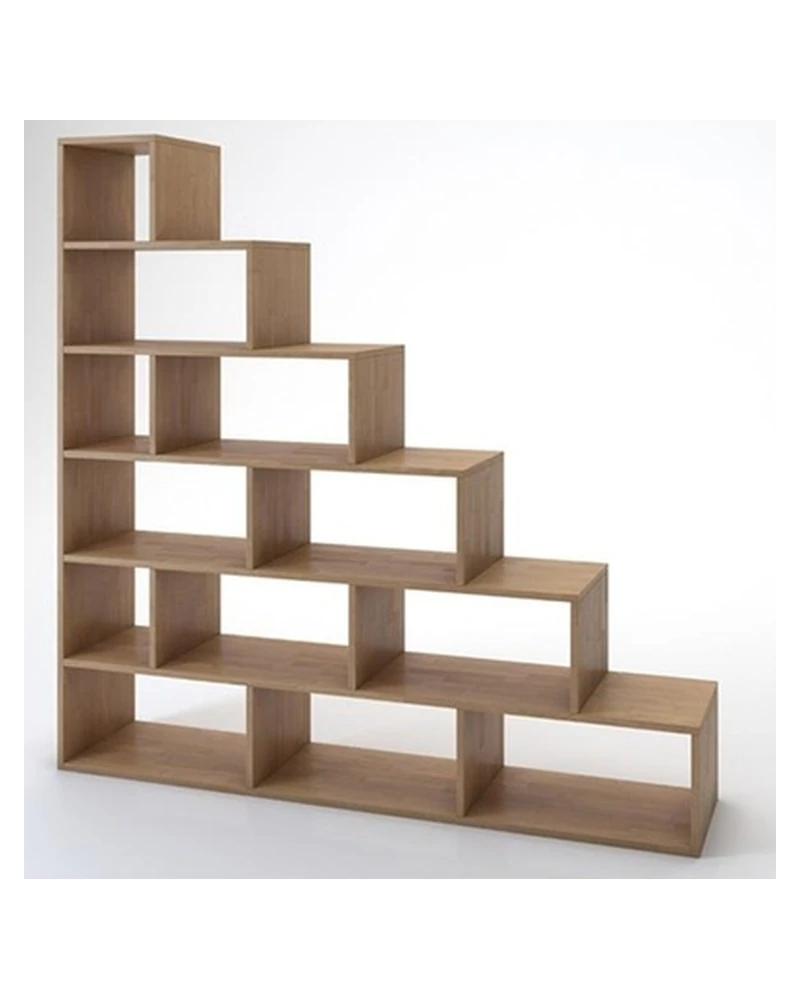 The photo
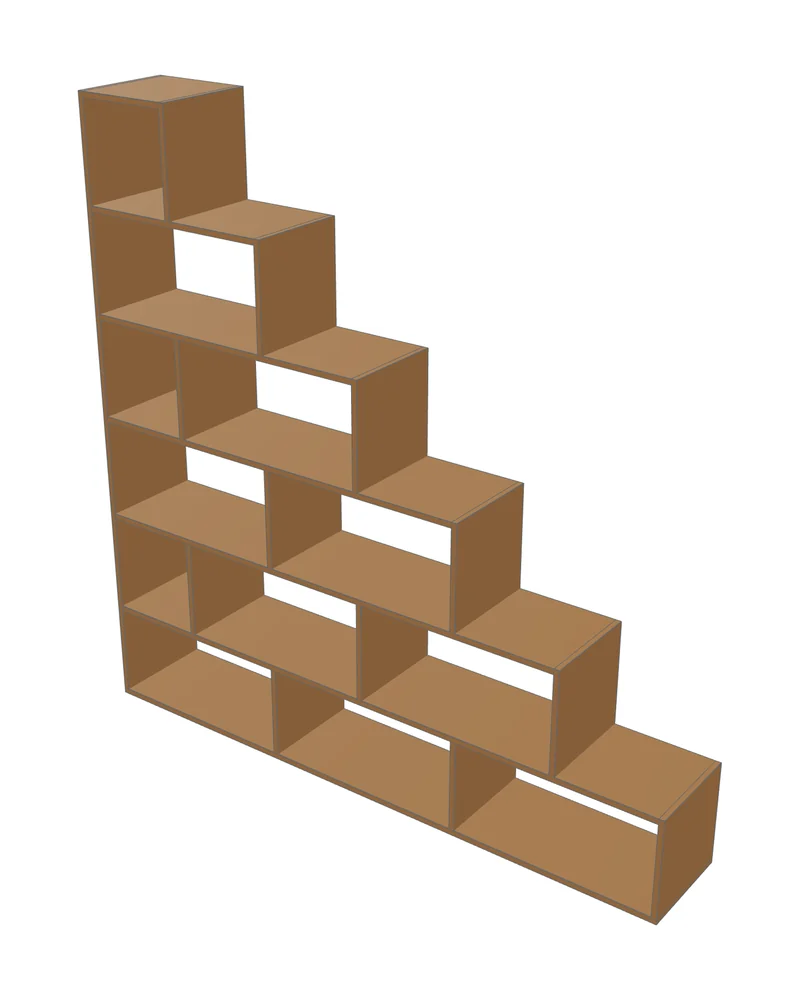 The AI model
From photo to cutting plan, in one real session.
- Input
- Photo or text
- Output
- 3D model, parts, cuts, assembly
- Typical time
- Under a minute
- Price
- Free, no account
You cannot cut a picture
To build furniture you need to know how many parts it has, the size of each one, which board runs past which at every corner, and how many sheets to buy. A generated render answers none of that.
The Fabivo assistant does not draw pixels. It writes a parametric model: a carcass with sides, top and bottom, spaced shelves, dividers, a back, fronts, and a plinth or legs. Fabivo turns that model into boards with exact sizes, and from there it is the normal app workflow.
What the AI does with your photo
The assistant works the way an experienced maker reads a photo:
- Counts rows, columns, shelves and doors, unit by unit.
- Estimates sizes from the proportions in the photo and from common dimensions (bookcase depth, TV stand height).
- Picks a standard board thickness, 18 mm unless the photo shows otherwise.
- Sees its model next to your photo so it can review and correct the shape.
- Can ask about sizes or details the photo does not show. It can still make mistakes: check the result.
Change it by talking or with the mouse
The result is a normal Fabivo model. Ask “make it 20 cm wider” or “add doors to the bottom row”, or drag a shelf in the modeler. You can undo changes. Then generate the cut list again to cut the current version.
Sizes read from a photo are estimates. If you already know the width or height you need, tell the assistant before it starts, or correct it afterwards: the other parts are recalculated.
What it can build
Sheet-goods furniture: bookcases and shelving, TV stands, sideboards, display cabinets, entryway benches, simple kitchen units, desks and tables on legs. Real examples with their cut lists are in the free furniture plans.
It does not do upholstery, curves, metal frames or turned parts. A sloped board, yes; a curved backrest, no.
Measured, not promised
We ran the same assistant with three AI models on 17 photos of real furniture, one attempt per photo. The results, times and costs are published, failures included, in the AI furniture benchmark.
Frequently asked questions
Is the AI assistant free?
Yes, with usage limits to keep the service available. No account is needed. If you reach a limit, the app tells you.
Do I need exact measurements?
No. The AI estimates sizes from the photo. If you know the width, height or depth you want, say so in your message and it fits the rest to those sizes.
What happens to my photos?
They are only sent when you use the assistant. To improve it we keep the conversation and the attached photos for 30 days. Your projects stay on your device. Details are in the privacy policy.
Does it work offline?
The modeler, the cut optimizer and the assembly guide work offline. The AI assistant needs a connection while you use it.
Have a photo of furniture you like?Open it in Fabivo and ask the assistant to build it. Free, no account.
Try it with your photoUpdated