
Free plan · Bookcase
Bookcase on legs: free plan and cut list
A low bookcase with two shelves, a back and four square legs. The plan has the 3D model, every part with its size, the cutting plan and the assembly guide. Open it in Fabivo to change the size; the parts and the cuts follow.
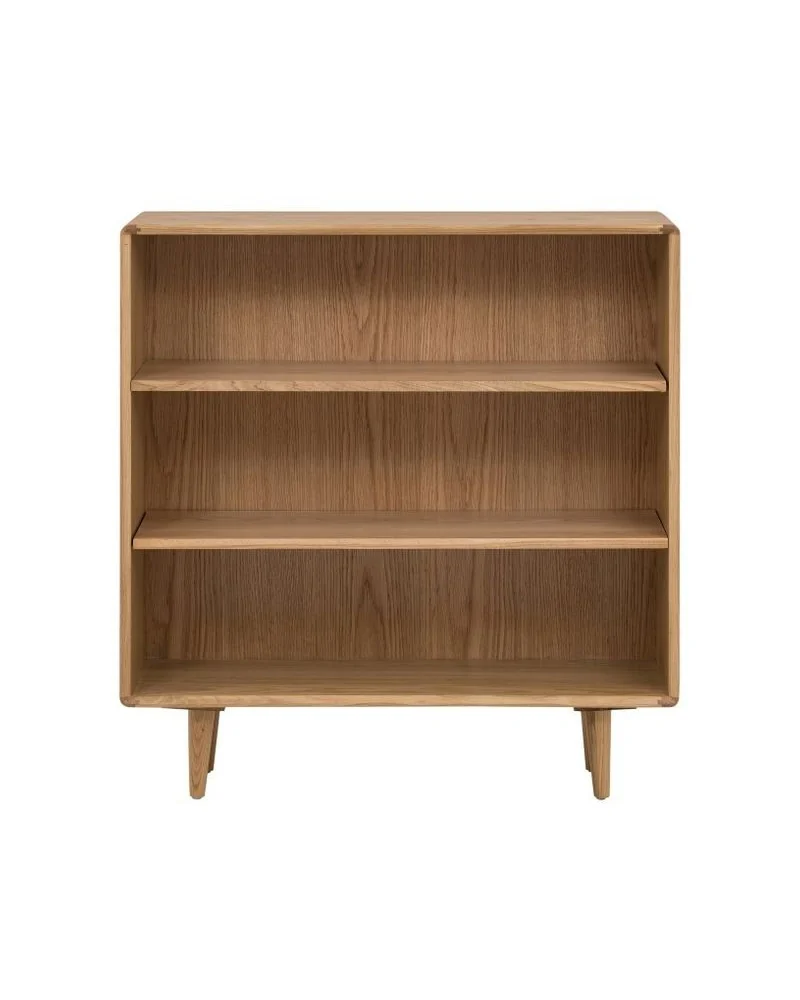 The photo
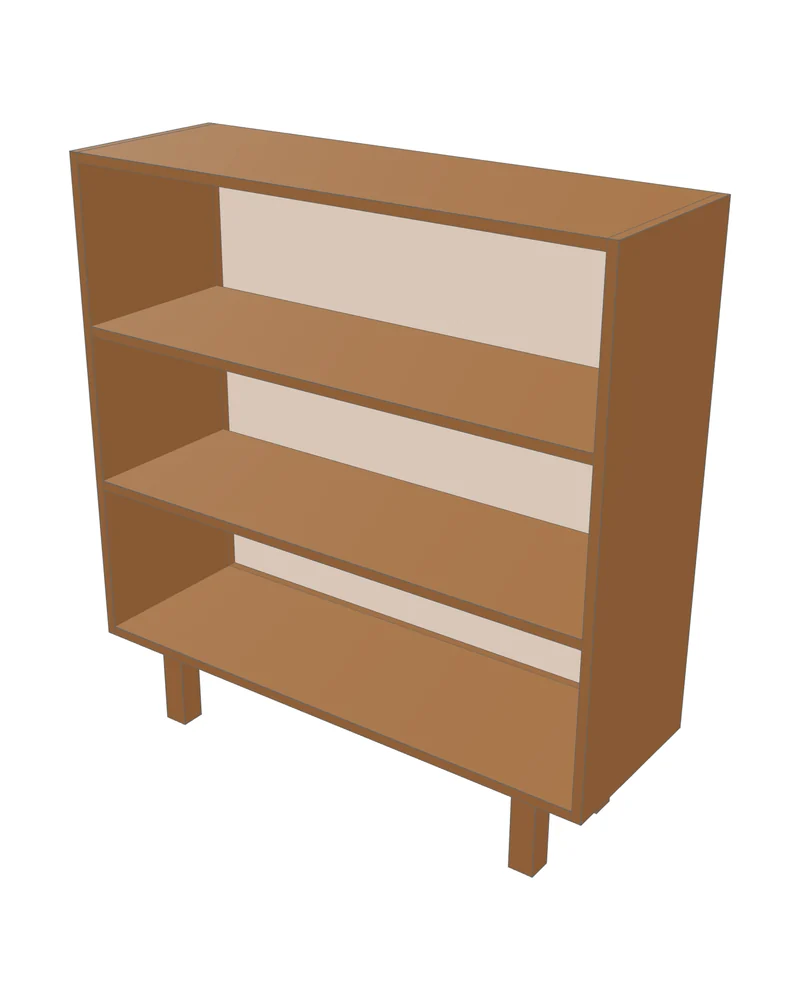 The plan
- Size (W × H × D)
- 900 × 950 × 300 mm · 35.4 × 37.4 × 11.8 in
- Parts
- 11 boards
- Board
- 15 mm plywood
- Sheets
- 3 sheets of 2440 × 1220 mm
About this piece
A simple carcass with two fixed shelves and a full back, raised on four square legs set in from the edges. The photo has tapered legs; this model uses square legs. The cut list separates the 15 mm cabinet boards from the 40 × 40 mm legs. The saved cutting plan reserves a separate 40 mm sheet for the legs. You can replace that stock row with an offcut, or buy the legs as timber.
- Legs 40 × 40 mm, 150 mm tall
- Back panel fits inside the carcass (inset)
Cut list
11 parts. Sizes in millimetres are the finished board sizes the model gives; in the app you can switch to inches and add edge banding.
| Part | Qty | Length | Width | Thickness |
|---|---|---|---|---|
| Back panel | 1 | 870 | 770 | 15 |
| Bottom | 1 | 870 | 300 | 15 |
| Top | 1 | 870 | 300 | 15 |
| Shelf | 2 | 870 | 285 | 15 |
| Side | 2 | 800 | 300 | 15 |
| Leg | 4 | 150 | 40 | 40 |
Cutting plan
With the app’s default settings the parts fit on 3 sheets of 2440 × 1220 mm, with 75.5% waste and 15 cuts. The plan below is sheet 1; the app shows each sheet and the cut order, one pass at a time.
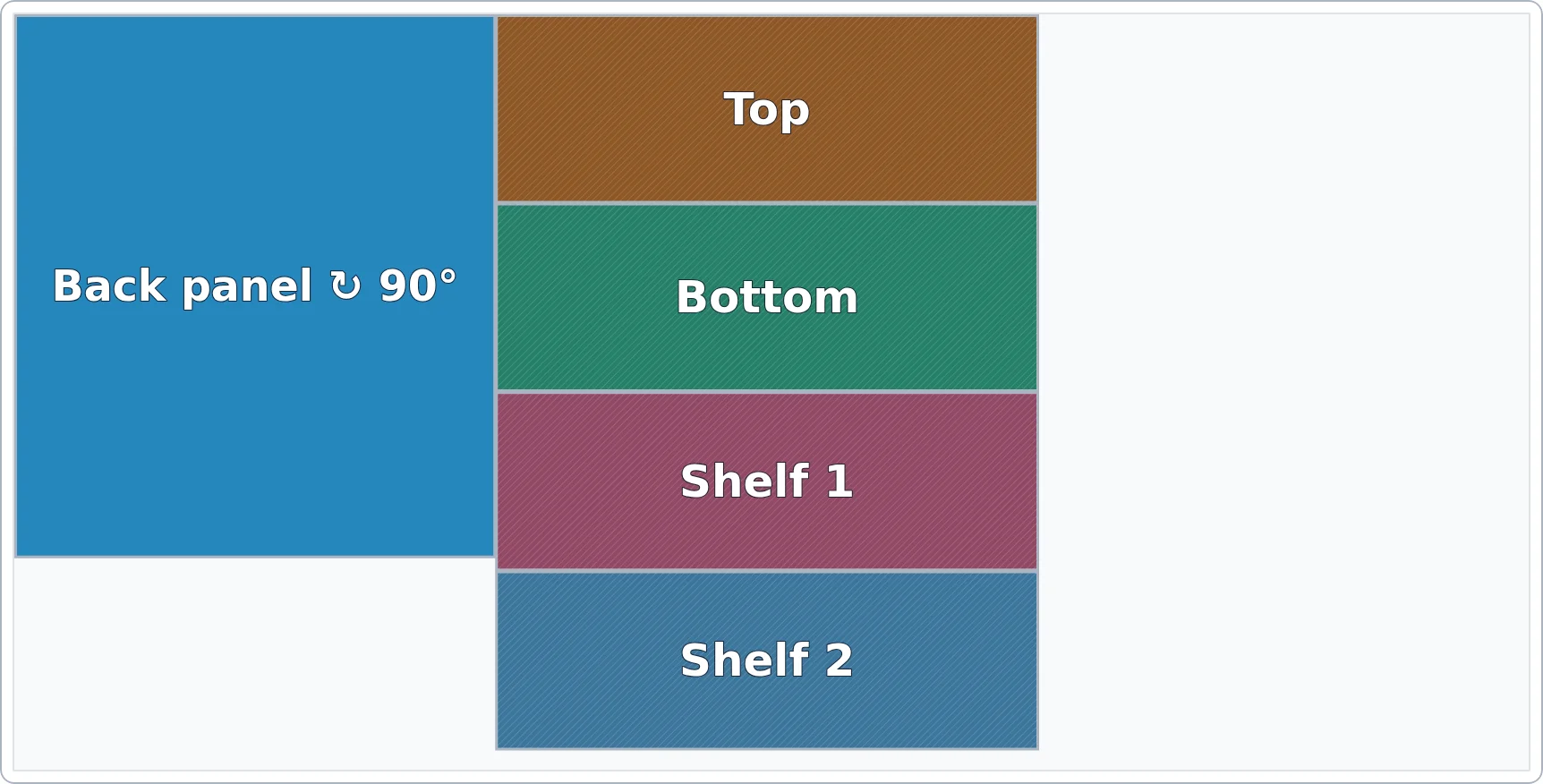
Hardware and assembly
The app lists the hardware from the model and builds a 11-step assembly guide with a diagram per step:
- Screw 25 mm × 44
- Screw 45 mm × 8
Make it fit your space
Open the plan and change the width, height or depth in the modeler. You can also ask the AI assistant, for example “make it 30 cm narrower” or “add a back panel”. Check the model after the change and generate the cut list again.
Set your real sheet size, thickness and saw kerf in the Plan step before you buy material. The optimizer then tells you how many sheets you need and what is left over.
Where this plan comes from
We gave the photo above to Fabivo’s AI assistant and asked it to build the furniture. It counted the rows and openings, estimated the sizes from the proportions, and wrote the model. Fabivo made the cut list and the cutting plan from that model.
Sizes read from a photo are estimates, not measurements of the original product. These are editable starting models, not load-rated construction plans. Check sizes, shelf spans, joints and wall fixings before cutting. Try your own photo in the AI furniture designer.
Did you build this plan?
We have not published any community builds yet. If you built this piece from a Fabivo free plan, you can offer a photo of the finished piece, the Fabivo project, the changes you made and, if you know it, the material cost with currency and source.
The button opens a prefilled public issue on GitHub. You need a GitHub account. The issue and its photos are public as soon as you submit, and third-party search engines may index them. Nothing is published automatically on fabivo.app: Fabivo reviews the material first, and an unapproved case is not in Fabivo’s sitemap or case pages. There is no upload form and no Fabivo account.
Open the prefilled GitHub issue
Only submit work you built, with photos you own or have permission to share. Do not include faces, addresses or private interiors.
Frequently asked questions
How many sheets do I need for this bookcase?
3 sheets of 2440 × 1220 mm with the app’s default settings and this size. If you change the size or your sheet format, the optimizer recalculates it.
Can I change the measurements?
Yes. Open the plan in Fabivo and change the width, height or depth. Check the result, then generate the cut list again.
Is the plan really free?
Yes. The plan, the app, the cut list and the exports are free, with no account.
Ready to build the bookcase on legs?The plan opens in the app with the model, the parts and the cutting plan.
Open this plan in FabivoUpdated